Welcome Back! Ms. Jache has been very busy this summer, learning how to use our brand new 3D printer so that she can teach the rest of us! It was a process! Read below to learn more from Ms. Jache about this latest addition to our Library of Things:
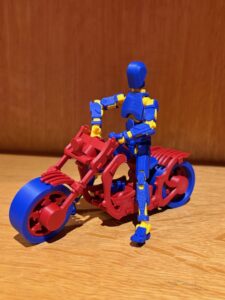
“With the new year we have new items in the library. Many are books but a lot is technology that we have added to our Library of Things. These include two more 3D printing pens, a Cricut for student use, a heat press, and a 3D printer.
Yes! A 3D printer! It was a long process to pick the printer that was the best one for our community. First, we had to narrow down to the type of printer. Of the seven major types of printers, FDM is currently the most-used and best for beginners. From there, we decided that an enclosed chamber was safest and therefore the best option for us. We then looked at the different companies that routinely work with schools and libraries, knowing they understood the unique challenges we face. This narrowed our focus to four companies and nine printers. So, still more research work to do!
We compared numbers: types of filament each printer can use; the average and top printing speed of each vs their accuracy; heat-up time; the external size of the printer vs its internal build area; the number of colors that can be printed in a single print; the number of print heads; connectivity options; sensors and fail-safe’s; and the systems in place to help us teach our community to safely use a 3D printer.
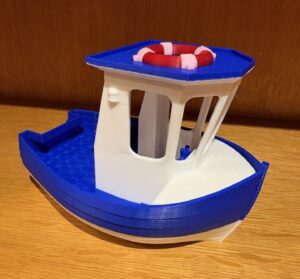
This brought us to two companies and four options. We talked to other schools, libraries, and 3D printing professionals, and landed on our best option: the Bambu Lab X1E. It is a relatively new company, but the printer has a lot of the features that we wanted, as well as a fantastic user community that is building a free 3D printing platform from which we can print.
Want to use our 3D printer, or any other new item from our Library of Things? Check out our LibGuide “Library Tools: How to Guide”. From there, you can watch tutorial videos and take tests. When you get 100% on a test, email Ms. Jache at njache@sps.edu to show her what you know. Each tool has a project for you to complete before you will be allowed to use it for your projects and assignments.
Have a great school year and keep creating!”
Leave a Reply